
Microsoft Power Fx
Microsoft Power Fx is an open-source, low-code programming language that enables users to build apps with Excel-like formulas, streamlining the development process across the Power Platform.
Request a Demo
Why Choose Microsoft Power Fx?

Familiar for Excel Users
Power Fx uses functions and syntax similar to Excel, making it easy for millions of users to adopt.

Open-Source Community
Power Fx is open-source, enabling community-driven innovation and contributions.

Unified Language Across Power Platform
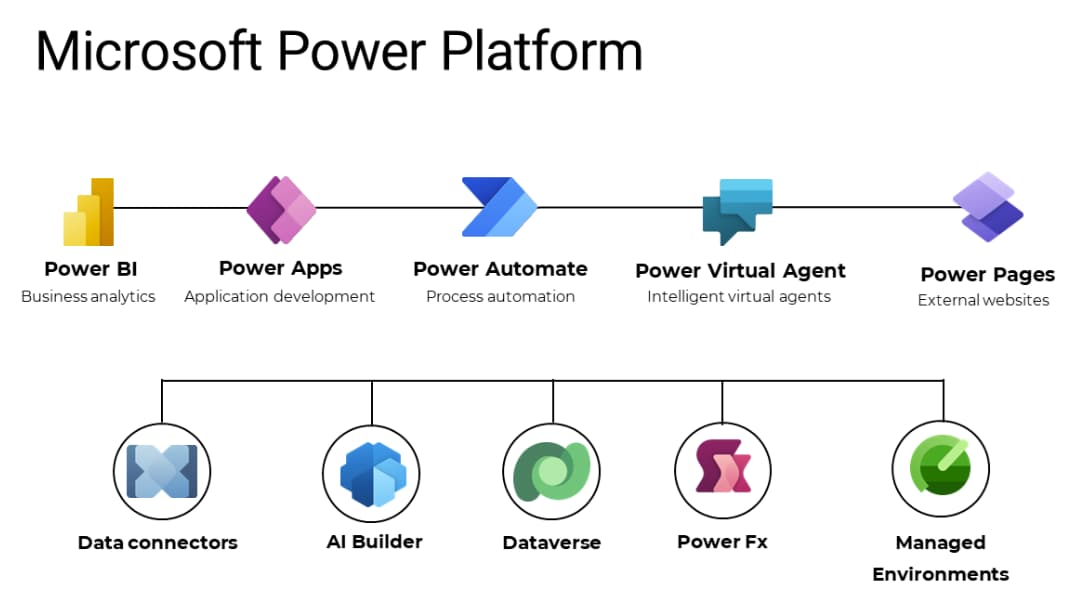
Power Fx provides a consistent logic layer across Power Apps, Automate, and other Power Platform tools.
Key Features of Microsoft Power Fx

Excel-Like Syntax
Utilize familiar formulas to create logic, reducing the learning curve.

Open-Source
Access and contribute to the Power Fx language on GitHub.

Seamless Integration
Integrates effortlessly with Power Platform tools.

Declarative Logic
Define app behavior with straightforward, readable formulas.

Reusable Components
Create reusable formulas and logic blocks for consistency across apps.

Enhanced Collaboration
Enables developers and business users to work together with a shared formula language.
Industries We Serve

Manufacturing

Retail & E-Commerce

Healthcare

Food and Beverages

Engineering

Education

Telecommunication

Technology

And Many More
Power Fx vs. Traditional Programming Languages
See how this solution stands against traditional alternatives.
| Feature | Traditional Languages | Power Fx |
|---|---|---|
| Learning Curve | Steep | Gentle with Excel-like syntax |
| Development Speed | Slower | Faster with low-code approach |
| Collaboration | Limited to developers | Inclusive of business users |
| Maintenance | Complex | Simplified with readable formulas |
| Integration | Requires additional setup | Seamless within Power Platform |
Power Your Business with Smart Solutions

Financial Management
Business Central simplifies financial management with tools for accounting, budgeting, and cash flow. It helps businesses gain real-time visibility into finances, ensuring better control and accurate decision-making.

Project Management
Plan, track, and deliver projects efficiently using centralized dashboards. Manage budgets, allocate resources, and monitor progress to improve productivity and ensure on-time, cost-effective project completion.

Reporting and Analytics
Gain real-time insights with built-in reporting and analytics tools. Monitor KPIs, customize dashboards, and make data-driven decisions that enhance performance across departments and business units.

Supply Chain Management
Optimize your supply chain with real-time inventory visibility, automated reorder points, and streamlined logistics. Improve operational efficiency and minimize stock shortages or overstocking.

Sales and Service Management
Automate the complete sales cycle from lead tracking to invoicing. Empower teams to boost productivity, strengthen customer relationships, and deliver exceptional service at every stage.
Operations Management
Centralize production planning, resource allocation, and workflow automation. Monitor capacity, track work-in-progress, and maintain efficiency across manufacturing and other operational processes.

Inventory Management
Streamline stock control and warehouse operations with integrated inventory tools. Ensure real-time accuracy, improve supply chain transparency, and reduce manual tracking efforts.

AI and Automation
Leverage AI-driven insights to enhance decision-making and automate routine tasks. Increase efficiency, reduce human error, and focus on strategic growth opportunities.
Frequently Asked Questions
Microsoft Power Fx is a low-code, open-source programming language that uses Excel-like formulas to build apps within the Power Platform.
Both professional developers and business users can utilize Power Fx to create and manage applications efficiently.
Yes, Power Fx is open-source and available on GitHub for community collaboration and contribution.
Power Fx is used extensively in Power Apps, with growing support in Power Automate, Power Virtual Agents, and Dataverse.
No. Power Fx is designed for low-code development and is easy for Excel users and non-developers to learn.