
 September 1, 2026
 by Jatin
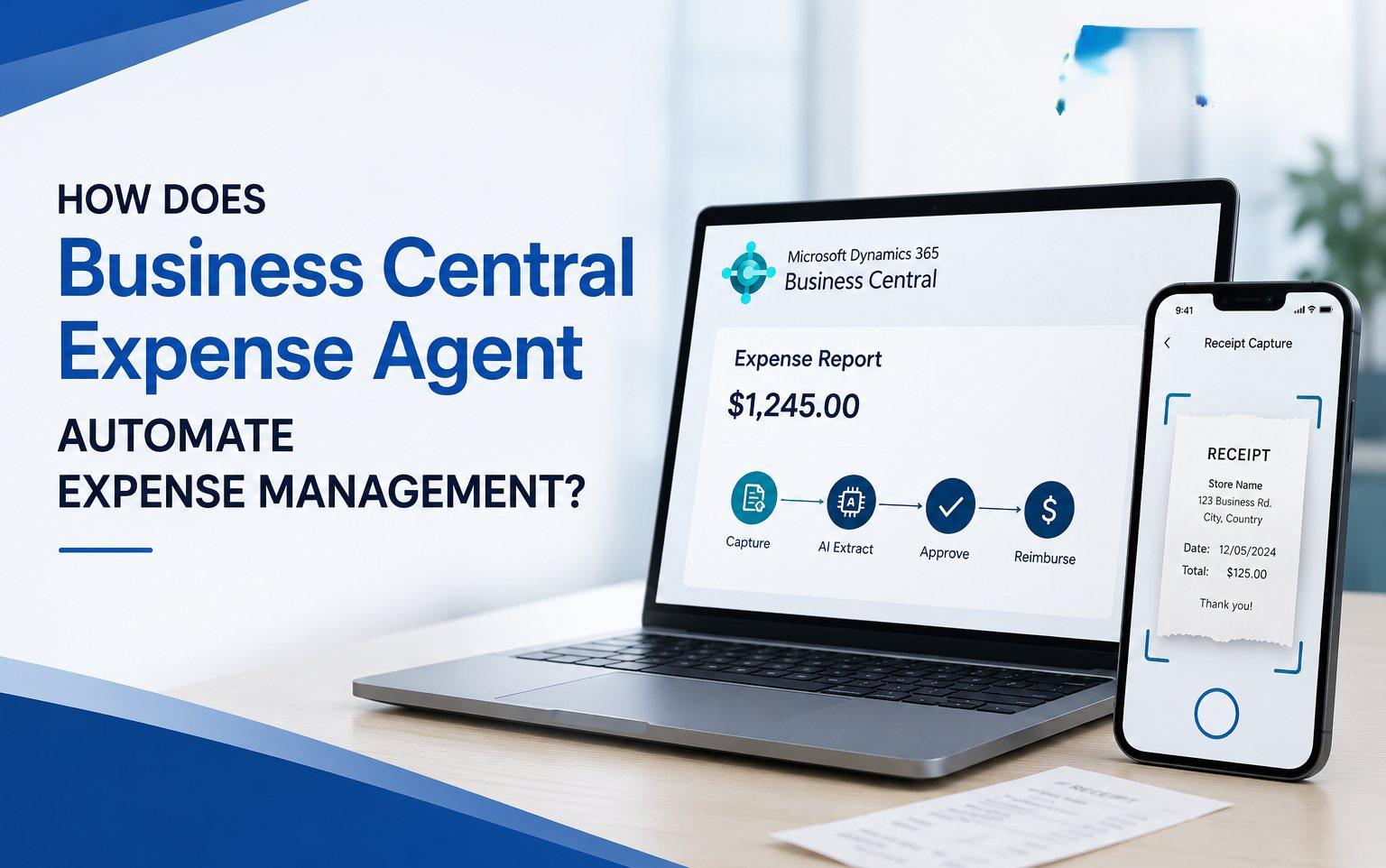
Managing employee expenses can become complicated as a business grows. Employees submit receipts for travel, meals, accommodation, mileage, office purchases, and other business-related expenses. For finance teams, manually collecting, entering, checking, approving, and posting all this information can consume a significant amount of time.
Spreadsheets and email-based processes can also make it difficult to maintain visibility over employee spending and enforce company expense policies consistently.
This is where Microsoft Dynamics 365 Business Central Expense Agent can help. By bringing AI into the expense management process, businesses can automate several repetitive activities, including receipt capture, data extraction, expense categorization, expense report creation, policy checking, and approval workflows.
For organizations looking to modernize their finance operations, Expense Agent represents an important step toward AI-powered expense management in Business Central.
What Is Business Central Expense Agent?
An AI-Powered Approach to Expense Management
Business Central Expense Agent is an AI-powered capability designed to simplify and automate employee expense management.
Instead of requiring employees to manually enter every detail from a receipt, the Expense Agent can analyze submitted receipts and extract relevant information such as the merchant, date, amount, currency, and expense details.
Employees can review the information and make corrections before submitting their expenses. The system can then organize expenses into reports and apply the organization’s configured expense policies and approval processes.
This allows businesses to move away from repetitive manual data entry and toward a more streamlined expense management process.
Why Are Businesses Looking at AI Expense Management?
Manual Expense Processing Creates Hidden Costs
Expense management may not seem like a major operational challenge when a company has only a few employees. As the organization grows, however, the number of expenses can increase rapidly.
Finance teams may have to deal with hundreds of receipts every month, while employees may spend considerable time preparing expense claims.
Manual expense processing can lead to lost receipts, incorrect expense categories, delayed submissions, approval bottlenecks, duplicate data entry, and limited visibility into employee spending.
AI-powered expense management can help address these challenges by automating repetitive tasks while allowing employees, managers, and finance teams to retain control over the process.
How Does Business Central Expense Agent Work?
The Expense Management Process
The Business Central Expense Agent is designed to support multiple stages of the expense management lifecycle.
An employee first submits a receipt or expense. AI then extracts the relevant information and helps categorize the expense. The employee reviews the information and submits the expense report. Configured policies can be checked before the report moves through the approval process.
Once approved, the expense can continue into the appropriate financial processes within Business Central.
This creates a more organized approach to expense management without requiring every stage to be completed manually.
AI-Powered Receipt Capture
Less Manual Data Entry for Employees
One of the most useful capabilities of Expense Agent is its ability to simplify receipt processing.
Employees regularly collect receipts for business meals, hotel stays, transportation, fuel, flights, office purchases, and other expenses. Traditionally, these receipts may have to be saved, entered into a spreadsheet, attached to an expense report, and submitted for approval.
With an AI-powered approach, employees can submit their receipts through supported channels and allow the system to process the information.
This can be particularly useful for employees who travel frequently or work away from the office.
Automatically Extract Expense Data
Turning Receipts Into Structured Information
Receipts contain information that finance teams need to process expenses correctly. This can include the merchant name, transaction date, total amount, currency, tax information, and individual items.
Manually entering this information for every transaction can be repetitive and time-consuming.
Business Central Expense Agent can use AI to extract information from receipts and convert it into structured expense data. Employees can then review the information before submitting the expense.
This combination of automation and human review helps reduce manual work while maintaining an appropriate level of control.
Automatic Expense Categorization
Smarter Expense Classification
An expense doesn’t only need an amount and date. It also needs to be classified correctly.
For example, a restaurant receipt may belong to a business meals category, while a hotel receipt may fall under accommodation and a taxi receipt may be classified as transportation.
Expense Agent can help categorize expenses based on the available information and the expense categories configured within the organization.
This can reduce the amount of manual classification required from employees and finance teams.
Expense Itemization
Handling Multiple Items on a Receipt
Some receipts contain several products or services that may need to be treated differently for accounting or reporting purposes.
A hotel invoice, for example, may include room charges, meals, taxes, and additional services.
Expense itemization can help provide greater detail about the individual components of an expense rather than treating the entire receipt as a single transaction.
This can support more accurate categorization and improve the quality of expense information available to finance teams.
Mileage Expense Management
Simplifying Travel Expense Claims
Mileage expenses can be another time-consuming part of employee expense management.
Employees may need to record their starting location, destination, distance, business purpose, and whether the journey was a round trip.
Expense Agent can help simplify mileage expense entry and support route-based mileage calculations.
This can be particularly useful for sales representatives, consultants, service engineers, field employees, and other professionals who regularly travel between customer or business locations.
Automatically Create Expense Reports
Bringing Individual Expenses Together
Employees can accumulate several expenses during a business trip or reporting period.
A single trip might include flights, accommodation, meals, taxis, fuel, and client-related expenses.
Managing each expense separately can create additional administrative work. Expense Agent can help organize individual expenses into expense reports, giving employees and finance teams a more structured view of the overall claim.
This can make the submission and review process easier to manage.
Expense Policy Compliance
Improving Control Over Employee Spending
Expense policies are an important part of financial management.
Businesses may establish rules around meal allowances, hotel expenses, travel costs, approval limits, required receipts, and employee spending.
Without automated checks, finance teams may only identify policy violations after an expense has already been submitted.
Business Central Expense Agent can apply configured expense policies and identify potential issues during the expense process. Depending on the configured rules, an expense may generate a warning or require correction before submission.
This helps businesses introduce stronger controls earlier in the expense lifecycle.
Faster Expense Approval
Giving Managers a Structured Review Process
Expense approval can become a bottleneck when organizations rely heavily on email and spreadsheets.
Employees may send expense reports to managers, managers may request additional information, and finance teams may then need to review the same information again.
A structured workflow can make this process easier to manage.
Managers can review submitted expense reports and take the appropriate action, while employees and finance teams can work within a more organized process.
This can help reduce unnecessary email communication and improve visibility into expense status.
Connecting Expense Management With Business Central Finance
From Employee Expense to Financial Processing
One of the major advantages of managing expenses within Business Central is the connection with the wider ERP environment.
Expense management doesn’t exist in isolation. Expenses eventually affect a company’s financial records, reporting, budgets, and cash flow.
By connecting expense processing with Business Central, organizations can create a more integrated financial workflow.
This reduces the need to manually transfer expense information between separate systems and can provide finance teams with better visibility into employee spending.
Reducing Manual Work for Finance Teams
Let Finance Focus on Higher-Value Activities
The biggest benefit of expense automation is not simply faster receipt processing. It is the reduction of repetitive administrative work.
Finance teams can spend less time entering receipt information, organizing expense reports, checking categories, chasing missing documentation, and performing repetitive validation.
Instead, they can focus more on financial analysis, budgeting, cost management, compliance, forecasting, and supporting business decisions.
This is where AI-powered finance automation can create meaningful operational value.
Business Central Expense Agent: Key Features
What Can Expense Agent Help Businesses Do?
Business Central Expense Agent brings several expense management capabilities together in one process.
| Feature | Business Benefit |
|---|---|
| AI receipt processing | Reduces manual receipt entry |
| Receipt data extraction | Converts receipt information into structured data |
| Expense categorization | Helps classify expenses |
| Expense itemization | Provides more detailed expense information |
| Mileage management | Simplifies mileage claims |
| Expense reports | Organizes multiple expenses |
| Policy validation | Helps enforce expense rules |
| Approval workflows | Creates a structured approval process |
| Email submission | Provides an additional receipt submission option |
| Web experience | Makes expense submission easier |
| Business Central integration | Connects expenses with broader ERP processes |
Business Central Expense Agent vs. Manual Expense Management
What Changes for the Business?
Traditional expense processing usually involves several manual activities. Employees collect receipts, enter information, prepare reports, email them to managers, wait for approval, and eventually provide the information to finance for processing.
With Expense Agent, many of the repetitive activities can be automated.
AI can assist with receipt processing, data extraction, categorization, and expense report preparation, while employees review their information and managers remain involved in the approval process.
The objective is not to remove people from expense management. Instead, it is to allow technology to handle repetitive work while people remain responsible for review, approval, and financial control.
What Are the Benefits of AI-Powered Expense Management?
More Than Just Faster Data Entry
AI-powered expense management can provide several benefits to growing businesses.
Reduced manual data entry: Employees and finance teams spend less time entering information from receipts.
Faster expense submission: Employees can submit expenses without waiting until they return to the office.
Better expense visibility: Businesses can maintain a more structured view of employee spending.
Improved policy compliance: Expense rules can be applied during the expense process.
Faster approvals: Managers can work with structured expense reports instead of scattered email attachments.
Better financial integration: Expense information can become part of the broader Business Central financial process.
Improved employee experience: Employees spend less time completing repetitive expense forms.
Greater scalability: Automation becomes increasingly valuable as employee and expense volumes grow.
How to Set Up Expense Agent in Business Central
Preparing Your Business Central Environment
Successful expense automation starts with proper preparation.
Businesses should review their expense categories, policies, approval workflows, posting setup, payment methods, user permissions, and receipt submission requirements before implementing Expense Agent.
Expense categories should reflect the organization’s accounting and reporting requirements. Expense policies should clearly define spending limits and approval requirements.
The approval structure should also be established so employees and managers understand their responsibilities.
Finally, financial configuration and user permissions should be reviewed to ensure that the system supports the organization’s existing business processes.
A well-planned setup helps businesses get more value from expense automation.
How Much Does Business Central Expense Agent Cost?
Understanding Licensing and AI Usage
The cost of Business Central Expense Agent depends on factors such as the organization’s Business Central licensing, usage requirements, and AI consumption.
Businesses should consider their expected expense volume when evaluating the solution.
Important factors include the number of employees, monthly receipt volume, number of expense reports, business travel frequency, existing Business Central licenses, AI requirements, and any required integrations.
A proper cost evaluation should look beyond software licensing alone.
Businesses should also consider the potential value created by reduced administrative work, faster processing, improved compliance, and better expense visibility.
Is Business Central Expense Agent Right for Your Business?
Who Can Benefit From Expense Automation?
Expense Agent can be particularly valuable for organizations that process a high volume of employee expenses or have employees who travel frequently.
It may also be useful for businesses that currently depend heavily on spreadsheets, email-based approvals, manual receipt entry, or disconnected expense systems.
Organizations already using Microsoft Dynamics 365 Business Central may find the integration with their existing ERP environment particularly relevant.
However, businesses should evaluate their expense volume and process complexity before implementing any new automation technology.
What Businesses Should Consider Before Implementing Expense Agent
AI Does Not Replace Good Business Processes
Technology can automate a process, but it cannot compensate for poorly defined business rules.
Before implementing Expense Agent, businesses should review the quality of their financial data, expense policies, approval hierarchy, accounting configuration, user permissions, and employee adoption strategy.
Expense categories should be clearly defined, approval responsibilities should be understood, and employees should know how to submit and review their expenses.
Businesses should also remember that AI-generated information should be reviewed before it is used for financial processing.
Good automation starts with a good process.
The Human-in-the-Loop Approach Matters
AI Should Assist Employees, Not Remove Accountability
Financial processes require accountability.
A receipt may be unclear. An expense may be assigned to the wrong category. A transaction may not meet company policy.
For these reasons, human review remains important.
The most practical approach is to let AI handle repetitive tasks while employees validate expense information, managers approve reports, and finance teams maintain financial control.
This creates a balance between automation and accountability.
The Future of Expense Management Is Intelligent Automation
From Manual Processing to AI-Powered Finance
Expense management is moving beyond spreadsheets, paper receipts, and manual data entry.
AI is changing how businesses capture information, process documents, classify expenses, and automate repetitive financial tasks.
Business Central Expense Agent brings these capabilities into the Microsoft Dynamics 365 Business Central environment.
The real opportunity is not simply automating receipt processing. It is connecting AI, expense management, ERP automation, approval workflows, and financial controls into one more efficient process.
For growing businesses, this can create a stronger foundation for modern finance operations.
Frequently Asked Questions
What is Business Central Expense Agent?
Business Central Expense Agent is an AI-powered capability that helps automate key parts of employee expense management, including receipt processing, expense creation, categorization, reporting, and policy validation.
How does Business Central Expense Agent work?
Employees submit receipts or expense information. AI extracts relevant information and helps categorize the expense. Employees can review the information before submitting their expenses, after which the report can move through the organization’s approval and financial processes.
Can Business Central Expense Agent scan receipts?
Yes. Expense Agent is designed to process receipt information and extract relevant details such as merchant, date, amount, currency, and expense information.
Can Expense Agent automate expense reports?
Yes. Expense Agent can organize individual expenses into expense reports, making it easier for employees to submit multiple expenses together.
Can Business Central Expense Agent manage mileage?
Yes. Expense Agent supports mileage expense management and can help calculate mileage based on journey information.
Can Expense Agent check company expense policies?
Yes. Configured expense policies can be used to identify expenses that do not meet specific company requirements.
Does Expense Agent replace finance teams?
No. Expense Agent is designed to automate repetitive tasks. Employees, managers, and finance teams continue to play important roles in reviewing, approving, and controlling expenses.
Is Business Central Expense Agent suitable for small businesses?
It can be, depending on the organization’s expense volume, business complexity, and existing Business Central environment. Businesses should evaluate their current expense process before implementing automation.
Does Expense Agent work with Microsoft Dynamics 365 Business Central?
Yes. Expense Agent is designed to work within the Business Central ecosystem and connect expense management with broader ERP and financial processes.


